How to See AI Referral Traffic in Google Analytics and Search Console
Quick answer
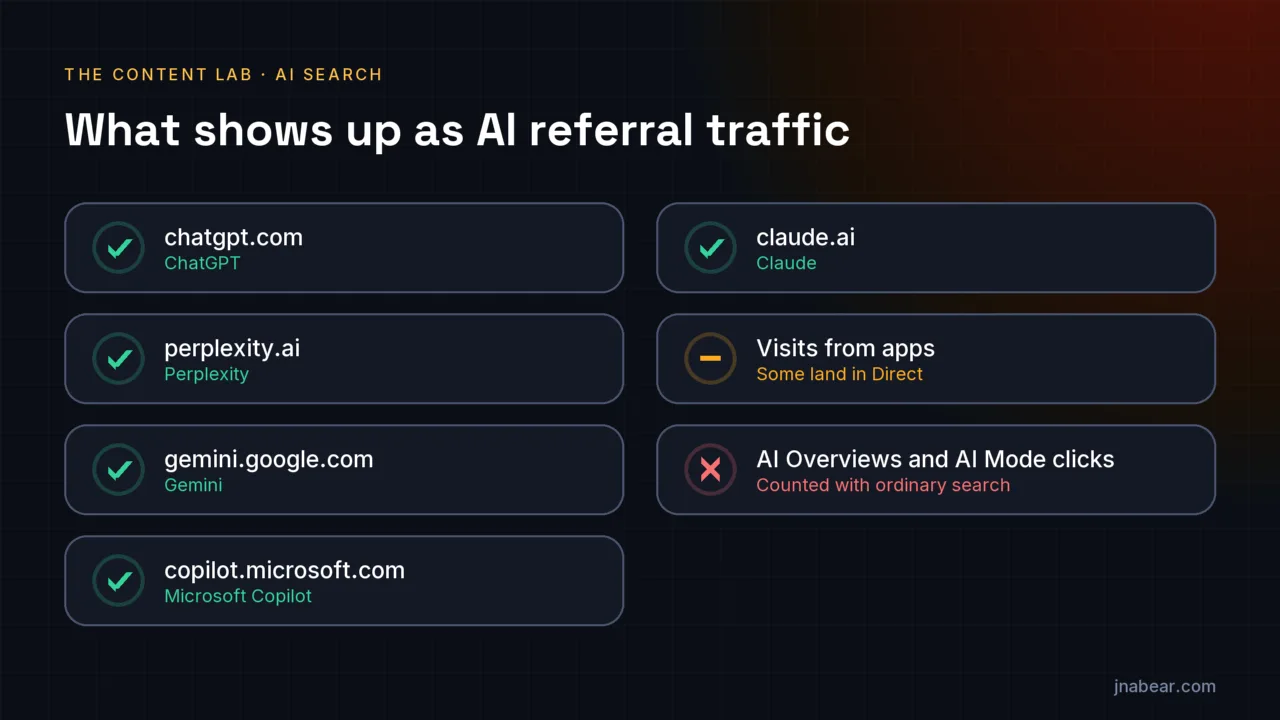
You can see most AI assistant traffic as referrals: visits from chatgpt.com, perplexity.ai, gemini.google.com, copilot.microsoft.com, and claude.ai. In Google Analytics 4, a custom channel group with an AI assistants channel above Referral collects them in one place, retroactively. Google's AI Overviews and AI Mode clicks still cannot be separated from ordinary search, though Search Console now reports their impressions separately.
Key takeaways
- AI assistants mostly arrive as referral traffic, identified by the referring domain.
- A GA4 custom channel group can put them in their own channel, and Google says custom channel groups apply to reports retroactively.
- Channel order matters: GA4 puts traffic in the first channel whose definition it matches, so the AI channel must sit above Referral.
- Google counts AI Overviews and AI Mode clicks inside Search Console's Web search type, so the clicks cannot be reported separately. Their impressions can, in Search Console's generative AI performance report.
- Analytics only sees clicks. A citation that never gets clicked is invisible there, so pair the numbers with a monthly citation check.
On this page (5)
Can you see traffic from ChatGPT and other AI assistants?
Most traffic from AI assistants is visible, as referrals. When someone clicks a cited link in ChatGPT, Perplexity, Gemini, Copilot, or Claude, the visit usually arrives as a referral from that product's domain, and your analytics records the source. Some visits arrive without a referrer, particularly from apps, and those land in Direct, where nothing identifies them.
Google's own AI features are the exception. Clicks from AI Overviews and AI Mode come through Google Search, and Google reports them together with ordinary search traffic.
Which referrers identify AI assistants?
Five domains cover the major assistants. Look for them as the session source in Google Analytics, or as the referrer in any other analytics tool.
| Assistant | Referring domain to look for |
|---|---|
| ChatGPT | chatgpt.com |
| Perplexity | perplexity.ai |
| Gemini | gemini.google.com |
| Microsoft Copilot | copilot.microsoft.com |
| Claude | claude.ai |
You may also see a campaign tag on some links, such as utm_source=chatgpt.com. If it appears in your reports, it identifies the same source, and the channel rule below catches it either way.
How do you set up an AI channel in Google Analytics 4?
Create a custom channel group with a channel for AI assistants. Google documents the steps, and even uses AI assistants as its example channel.
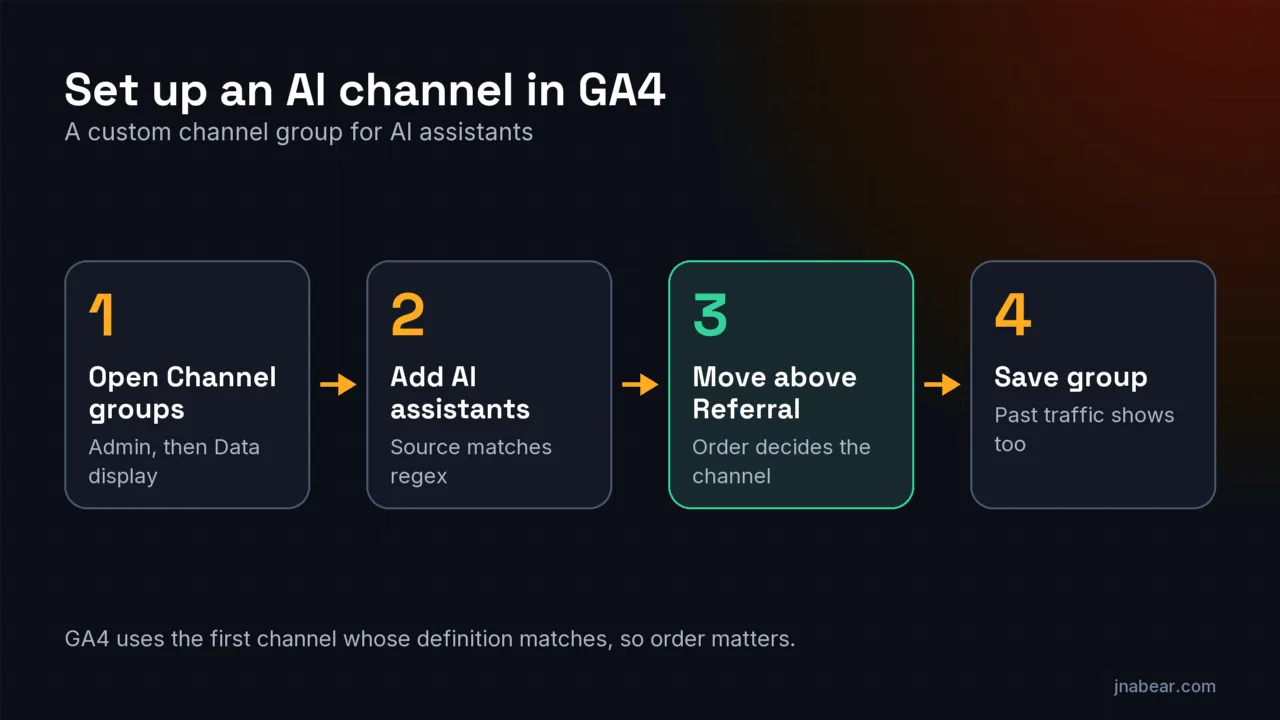
- In GA4, go to Admin, then Data display, then Channel groups.
- Click "Create new channel group". GA4 starts you with a copy of the default group.
- Add a channel named "AI assistants" with the condition: Source matches regex.
- Enter a pattern listing the assistants, for example: .*(chatgpt|perplexity|gemini\.google|copilot\.microsoft|claude\.ai).*
- Move the new channel above Referral, then click "Save group".
The order step is the one people miss. Google's documentation says "traffic is included in the first channel whose definition it matches given the current order of channels in the group." Left below Referral, the AI channel stays empty, because Referral claims those visits first. Google also says "custom channel groups can be applied to your reports retroactively," so the new channel shows past traffic too, not just visits from the day you create it.
The leading and trailing .* make the pattern work whether the condition matches the whole source value or only part of it, and Google's own example wraps every name the same way. Google's example is longer and also covers retired names such as Bard; an explicit list like the one above is easier to read and to update when a new assistant starts sending visits.
Where do AI Overviews and AI Mode clicks show up?
In Search Console, mixed in with everything else. Google says "sites appearing in AI features (such as AI Overviews and AI Mode) are included in the overall search traffic in Search Console," reported "within the 'Web' search type." Clicks still have no separate filter, so a tool that claims to report AI Overviews clicks precisely is estimating. Impressions are different: Search Console's generative AI performance report, available to all sites since August 31, 2026, shows how often links to each page appeared in AI Overviews and AI Mode. A split between the two is not listed in Google's help page (checked Oct 27, 2026).
Google also claims those clicks are "higher quality (meaning, users are more likely to spend more time on the site)." That is Google's description of its own product, so compare it with engagement in your own analytics before relying on it.
What can analytics not tell you?
Analytics sees clicks, and in AI search most exposure never becomes a click. Pew Research Center found that people clicked a link inside a Google AI summary in just 1 percent of visits in March 2025. Being named in an answer can still matter, as awareness that turns into a branded search or a direct visit later, but no report will attribute it.
So measure two things. Track AI referral traffic in analytics, as above. And once a month, ask ChatGPT, Perplexity, Gemini, and Claude the questions your customers ask, and note which sources they cite. Search Console can turn up something analytics never shows, too. This site's own data includes search queries plainly written by AI assistants searching on a user's behalf, instructions included.
Sources
- Google Analytics Help: Custom channel groups in GA4 (verified September 2026) (opens in a new tab)
- Google Search Central: AI features and your website (opens in a new tab)
- Search Console Help: Generative AI performance report (Search) (opens in a new tab) (verified Oct 2026)
- Pew Research Center: Google users are less likely to click on links when an AI summary appears (July 2025) (opens in a new tab)
Topics & entities in this article
Frequently asked questions
Look for chatgpt.com as a session source under Referral, or create a custom channel group with an AI assistants channel that matches chatgpt and other assistant domains, placed above Referral.
Usually because it sits below Referral. GA4 puts traffic in the first channel whose definition it matches, so move the AI channel above Referral and save the group.
Yes. Google says custom channel groups can be applied to your reports retroactively.
Not separately. Google includes AI Overviews and AI Mode clicks in the overall search traffic in Search Console, within the Web search type. Their impressions are reported separately, in Search Console's generative AI performance report. A split between AI Overviews and AI Mode is not listed in Google's help page (checked Oct 27, 2026).
Some visits, particularly from apps, arrive without a referrer. Analytics then has nothing to identify the source and counts the visit as direct.
Related service
Topical Authority Mapping
Topical authority mapping structures your entire topic space around entities. The map defines every pillar, cluster, and gap, so your site covers the subject comprehensively and search engines treat you as the authority.
Disclosure: this is a service I sell.