Why Is Your Favicon Not Showing in Google Search? Fixes for Shopify, Wix, Squarespace and WordPress
Quick answer
A favicon not showing in Google search usually means Google has not recrawled your home page yet, or the icon breaks one of its rules. Google needs a link tag on the home page, a square icon of at least 8x8px in a supported format, and crawl access to both files. Even then, Google says a favicon is not guaranteed to appear.
Key takeaways
- Google reads the favicon from a link tag on your home page. The home page and the icon file must both be crawlable.
- Google's favicon guide asks for a square icon of at least 8x8px and recommends larger than 48x48px (doc last updated Oct 27, 2026).
- Supported formats are BMP, GIF, ICO, PNG, JPEG, PPM and TIFF. SVG is not on Google's list (checked Oct 29, 2026).
- Squarespace's and Wix's help pages say Google needs a multiple of 48px. Google's current guide does not say that.
- After a change, Google says recrawling can take several days to several weeks. You can request indexing of the home page.
- Google says a favicon is not guaranteed to appear, even when every guideline is met.
On this page (9)
Why is your favicon not showing in Google search?
Your favicon is not showing in Google search because Google has not processed it yet, or because it breaks one of Google's favicon rules. Google gets the icon from a link tag on your home page. It then crawls the icon file itself. If either step fails, Google shows a generic icon in its place. Google adds that a favicon "isn't guaranteed to appear in Google Search results, even if all guidelines are met."
So there are three questions to work through, in order. Is the problem in Google or only in your browser? Does your setup meet Google's rules? And has enough time passed for Google to recrawl? Most small-business sites never touch code for any of this. The fix is usually one setting on the platform, then a wait.
Is it Google, or is it your browser?
Check Google first, because a browser tab and a search result get the icon in different ways. Your browser downloads the icon when you visit the site. Squarespace's help page warns that "browsers can be very persistent in holding on to cached favicons." So a stale tab icon is a browser cache problem. Clear the cache and restart the browser.
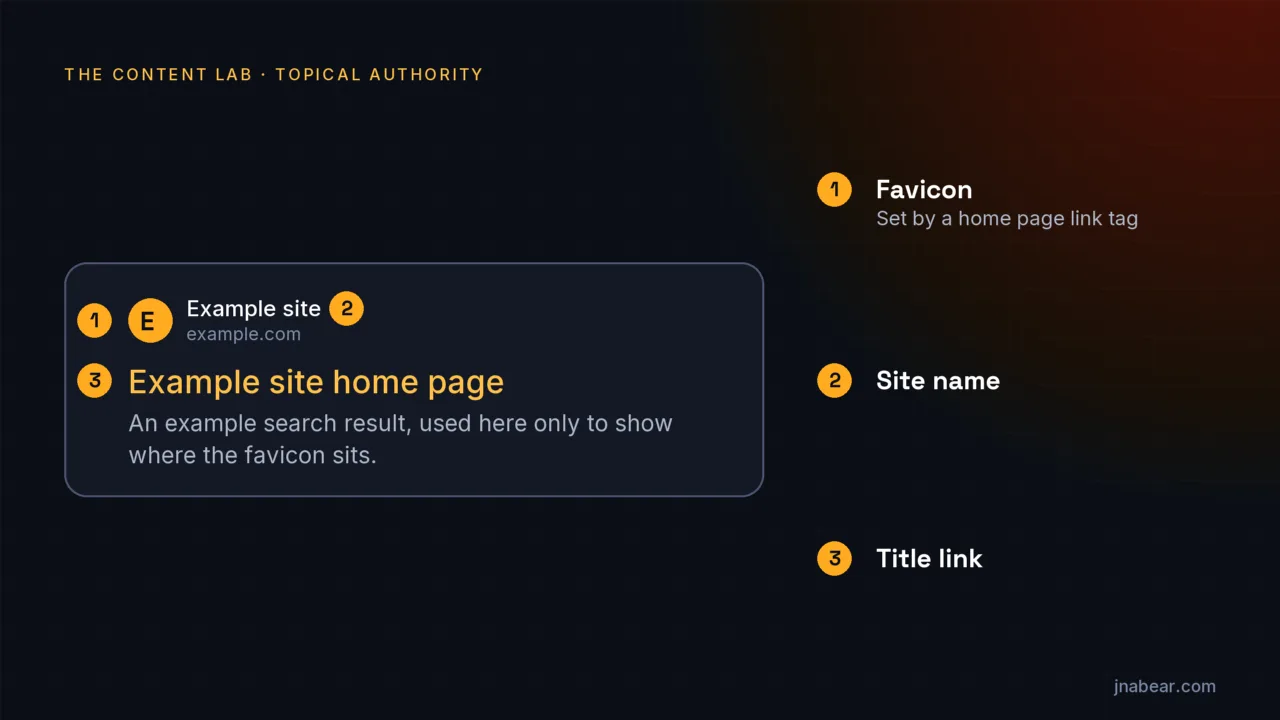
Google gets the icon from its own crawlers, on its own schedule. To see what Google shows, sign out of Google or open a private window. Search for site: followed by your domain, such as site:example.com. Look at the small round icon to the left of your site name in each result. On Oct 29, 2026, I ran that check on this site. Google showed the JNAbear bear icon next to every result on the first page. That is the setup in the last section of this guide, working as intended.
What does Google require for a favicon?
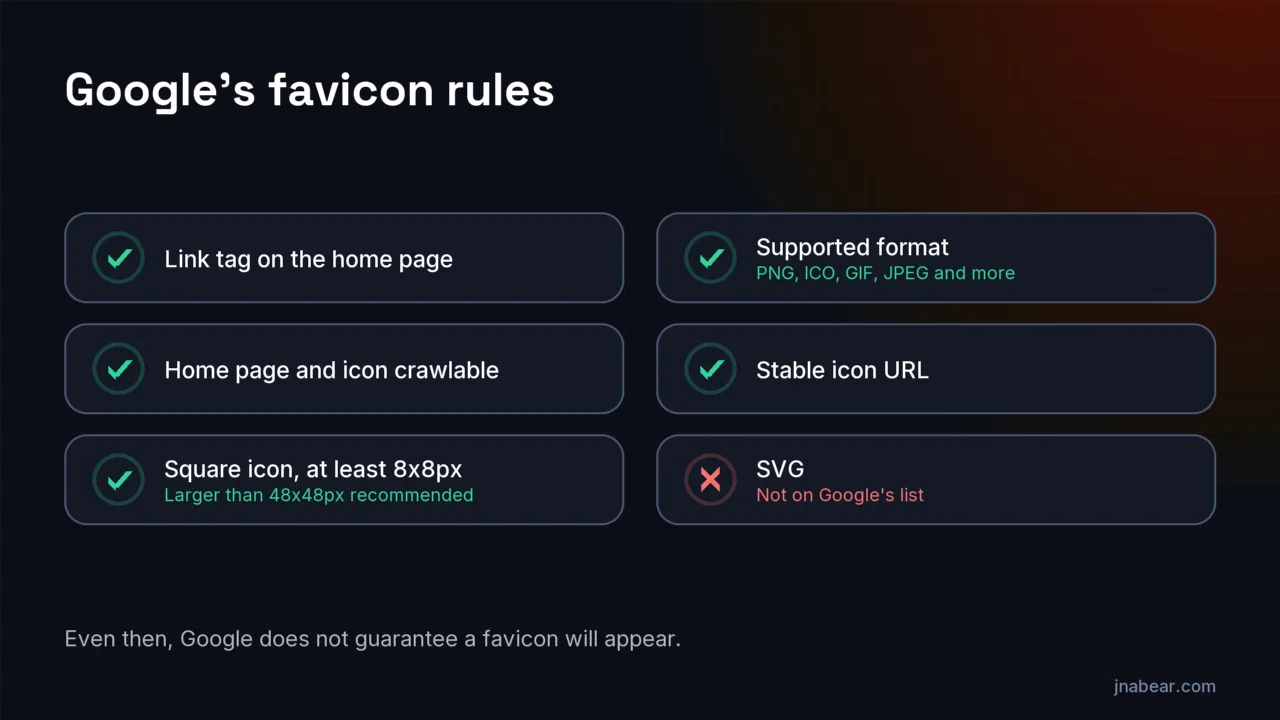
Google requires a link to the icon on your home page, crawl access for Googlebot and Googlebot-Image, and a square icon of at least 8x8px in a supported format. The table maps each rule in Google's favicon guide to a check you can run yourself. The guide was last updated on Oct 27, 2026, and I read it on Oct 29, 2026.
| Google's rule | How to check it |
|---|---|
| A link tag on the home page with rel="icon", "shortcut icon", "apple-touch-icon" or "apple-touch-icon-precomposed" | Open your home page, view the page source, and search for rel="icon". Platforms add this tag for you once the icon is set. |
| Googlebot must crawl the home page and follow its redirects. Googlebot-Image must crawl the icon file | Open yourdomain.com/robots.txt. Make sure no Disallow line covers the home page or the icon's path. |
| Square (1:1), at least 8x8px. Google recommends larger than 48x48px | Check the image size before you upload it. A wide logo will not work as a favicon. |
| A supported format: BMP, GIF, ICO, PNG, JPEG, PPM or TIFF | Use PNG if you are unsure. SVG is not on Google's list (checked Oct 29, 2026). |
| A stable URL that does not change often | Avoid replacing the icon again and again while you wait for Google. |
| One favicon per hostname | example.com and www.example.com are different hostnames. Set the icon on the version your results show. |
| Visually represents your brand, and is not inappropriate | Google replaces an inappropriate icon with a default one. |
The hostname rule trips up more sites than it should. Google defines a site by its hostname. A subdomain, such as shop.example.com, can have its own icon. A folder, such as example.com/shop, cannot. It shares the icon of example.com. Crawl access matters too. A robots.txt rule that blocks an images folder can block the icon without anyone noticing.
The favicon also has nothing to do with structured data. Google's favicon guide lists only the link tag on the home page (checked Oct 29, 2026). An Organization logo in your schema markup is a separate feature with its own rules. Adding one will not change the small icon in your results.
Do you need a multiple of 48px?
No. Google's current favicon guide asks for a square of at least 8x8px and recommends larger than 48x48px. It does not ask for a multiple of 48px. Two platform help pages still say it does. Squarespace's page, updated Aug 6, 2026, says "Google requires that your favicon be a multiple of 48px x 48px." Wix says the size "must be a multiple of 48px square." Neither matches Google's guide as of Oct 29, 2026.
Following that advice does no harm, though. A 96x96px or 144x144px square meets Google's minimum and its recommendation. So if your platform asks for a multiple of 48px, give it one. Just do not blame a missing icon on a size like 100x100px. That size is fine by Google's own rules.
How do you set a favicon on Shopify, Wix, Squarespace, WordPress and Webflow?
Each platform has one setting for the favicon, and it adds the link tag to your home page for you. The paths below come from each platform's own help page, read on Oct 29, 2026. Menus change, so check the linked help page if a step does not match your screen.
| Platform | Where the setting is | What the platform's help page says about the image | Plan notes |
|---|---|---|---|
| Shopify | Online Store, then Edit theme on your theme. Click the gear icon for Theme settings, then Logo or Favicon. Under Favicon image, click Select image, then Done, then Save. | Ideal size is 16x16px or 32x32px. Larger images are reduced to 32x32px on upload. | Basic plan or higher. Not available on the Starter plan. |
| Wix | In the dashboard: Settings, then Website settings. Click Upload Image under Favicon, choose the image, then Save. | A multiple of 48px square (unless SVG). ICO, PNG, JPG or SVG. | Needs a Premium plan and a connected domain. Publish the site first. |
| Squarespace | Open the Favicon panel from your site's settings. Drag in the image, then click Save. A dark mode version is optional. | Upload between 100x100px and 300x300px. PNG recommended. ICO files cannot be uploaded. 100 KB maximum. | None stated on the help page. |
| WordPress (6.5 and later) | Settings, then General. Click Choose a Site Icon. Block themes also have it under Appearance, then Editor, then Identity, then Site Icon. | Square, at least 512x512px. PNG recommended. | Self-hosted WordPress. Versions 4.3 to 6.4 use Appearance, then Customize, then Site Identity. |
| Webflow | Site Settings, then General, then Icons. Click Upload icon, pick which icons to update, click Apply, then publish. | One square image. Webflow makes every size, including a 48x48px icon for Google search results. SVG uploads become PNG. | None stated on the help page. |
Two details are worth a second look. Shopify shrinks larger uploads to 32x32px. That still clears Google's 8x8px minimum, though it is below the larger-than-48px size Google recommends. And Wix and Webflow accept SVG uploads. Webflow converts them to PNG. Wix's help page does not say what file it serves, so test the result in Google before you move on.
How long does it take for Google to show a new favicon?
Google says crawling "can take anywhere from several days to several weeks." It recrawls your home page on its own schedule, then fetches the icon. Google's favicon guide names no report to watch (checked Oct 29, 2026). You can nudge it, though. In the URL Inspection tool, inspect your home page and click Request indexing. Shopify and Wix also suggest submitting or resubmitting your sitemap in Search Console.
Then wait, and check again with a logged-out site: search after a week or two. Asking again does not help. Google says requesting a recrawl "multiple times for the same URL won't get it crawled any faster." Neither does swapping the icon file, since Google asks for a stable URL. On a small site, crawl budget is almost never the reason for the wait. Google simply has not come back to the home page yet.
Still not showing after a few weeks?
If weeks pass and Google still shows a generic icon, check whether Google can index your home page at all. Wix's help page gives the same advice for an icon that never appears. Run the URL Inspection tool on the home page. If it says the page is not on Google, the favicon is the smaller problem. The guide to pages not ranking starts with that same indexing check.
- The home page redirects, and the final page has no icon link. Google follows redirects from the home page, so the page it lands on needs the tag.
- The icon is on www but your results show the bare domain, or the other way round.
- robots.txt, a firewall or a bot-protection setting blocks Googlebot-Image from the icon file.
- The icon is not square, or it is in a format missing from Google's list.
- The icon was replaced several times, so its URL keeps changing.
If none of those apply, Google offers a feedback form at the bottom of its favicon guide. Use it for an icon that meets every rule and still does not appear after a few weeks.
What does a working favicon setup look like?
A working setup is a few lines in the head of the home page, pointing at icon files Google can crawl. This is the favicon markup on jnabear.com, the site Google showed with its icon on Oct 29, 2026:
<link rel="icon" href="/favicon.ico" sizes="any">
<link rel="icon" type="image/png" sizes="192x192" href="/icon-192.png">
<link rel="icon" type="image/png" sizes="32x32" href="/favicon-32.png">
<link rel="icon" type="image/png" sizes="16x16" href="/favicon-16.png">
<link rel="apple-touch-icon" sizes="180x180" href="/apple-touch-icon.png">
The favicon.ico file holds three sizes in one file: 16, 32 and 48px. Browsers pick the size they need. Every file is on the same hostname as the home page, and robots.txt blocks none of them. One change shipped with this guide. Until now the largest linked icon was the 48px layer inside favicon.ico. Google recommends larger than 48x48px, so the 192px PNG the site already had is now linked too. Google already showed the icon before the change, so this follows the recommendation and does not fix a fault.
What if the problem is bigger than the favicon?
A missing icon is cosmetic, but it can point to a bigger problem: a home page Google cannot crawl or index. If that is what you find, a second opinion can help you decide what to fix first. The free AI Search Visibility Audit covers indexability, answer readiness, entity consistency, the first topic cluster to build and a realistic timeline. It does not check favicons, site names or titles.
| Option | What it covers | When it fits |
|---|---|---|
| The checks in this guide | The link tag, the image, crawl access and the wait | Your home page is indexed, and only the icon is wrong |
| Free AI Search Visibility Audit | Indexability, answer readiness, entity consistency, the first topic cluster to build and a realistic timeline | Pages are missing from Google, or you are not sure what to fix first |
Disclosure: I run the free audit, and it leads to services I sell, so weigh the source. If your home page is indexed and only the icon is wrong, you do not need it. The setting for your platform and a few weeks of patience will usually do.
Sources
- Google Search Central: Define Website Favicon for Search Results (last updated Oct 27, 2026) (opens in a new tab) (verified Oct 2026)
- Google Search Central: Ask Google to recrawl your URLs (last updated Dec 10, 2025) (opens in a new tab) (verified Oct 2026)
- Shopify Help Center: Adding a favicon to your store (opens in a new tab) (verified Oct 2026)
- Wix Help Center: Adding a Favicon to Your Site (opens in a new tab) (verified Oct 2026)
- Wix Help Center: Adding a Favicon Image to Your Site's Pages in Search Results (opens in a new tab) (verified Oct 2026)
- Squarespace Help Center: Add a favicon or browser icon (updated Aug 6, 2026) (opens in a new tab) (verified Oct 2026)
- WordPress.org Documentation: Create a Favicon (opens in a new tab) (verified Oct 2026)
- WordPress.org Documentation: Site Editor Identity (opens in a new tab) (verified Oct 2026)
- Webflow Help Center: Favicons and webclips (opens in a new tab) (verified Oct 2026)
Topics & entities in this article
Frequently asked questions
Your browser and Google get the favicon separately. The browser loads it when you visit. Google reads the link tag on your home page when it recrawls, which Google says can take several days to several weeks. Until then, Google may show an older icon or a generic one.
Google's favicon guide asks for a square image of at least 8x8px and recommends one larger than 48x48px (checked Oct 29, 2026). A 96x96px or 192x192px PNG meets both and also suits platforms that ask for a multiple of 48px.
SVG is not on the list of formats in Google's favicon guide (checked Oct 29, 2026). The listed formats are BMP, GIF, ICO, PNG, JPEG, PPM and TIFF. If your icon is an SVG and Google shows a generic icon, try a square PNG.
Inspect your home page with the URL Inspection tool in Google Search Console and click Request indexing. Then wait. Google says recrawling can take several days to several weeks. Changing the icon file again usually slows things down, because Google asks for a stable favicon URL.
Google's current favicon guide does not require a multiple of 48px. It asks for a square of at least 8x8px and recommends larger than 48x48px. Squarespace's and Wix's help pages still state the multiple-of-48px rule, so following it does no harm.
Only different hostnames can. Google supports one favicon per hostname, so shop.example.com can have its own icon. A folder such as example.com/shop cannot. It uses the favicon set for example.com.
No. Google reads the favicon from a link tag on your home page. An Organization logo in structured data is a separate feature, and Google's favicon guide lists no structured data step (checked Oct 29, 2026).
Related service
Web Design & SEO
Custom WordPress websites for businesses that need a new or rebuilt site, from $3,500: JNAbear plans the technical SEO, and Stoute Web Solutions designs and builds from that plan, so search is part of the foundation.
Disclosure: this is a service I sell.