Blocked Due to Other 4xx Issue: What It Means, Plus the 403 and 401 Statuses Next to It
Quick answer
"Blocked due to other 4xx issue" means Googlebot requested the page and your server answered with a 4xx error code that Search Console has no separate label for, such as 400 or 411. Google does not index URLs that return a 4xx code and removes them if they were indexed. Fix the response if the page should be in Google; otherwise it is safe to ignore.
Key takeaways
- Google's help page names the status "URL blocked due to other 4xx issue": a 4xx error "not covered by any other issue type."
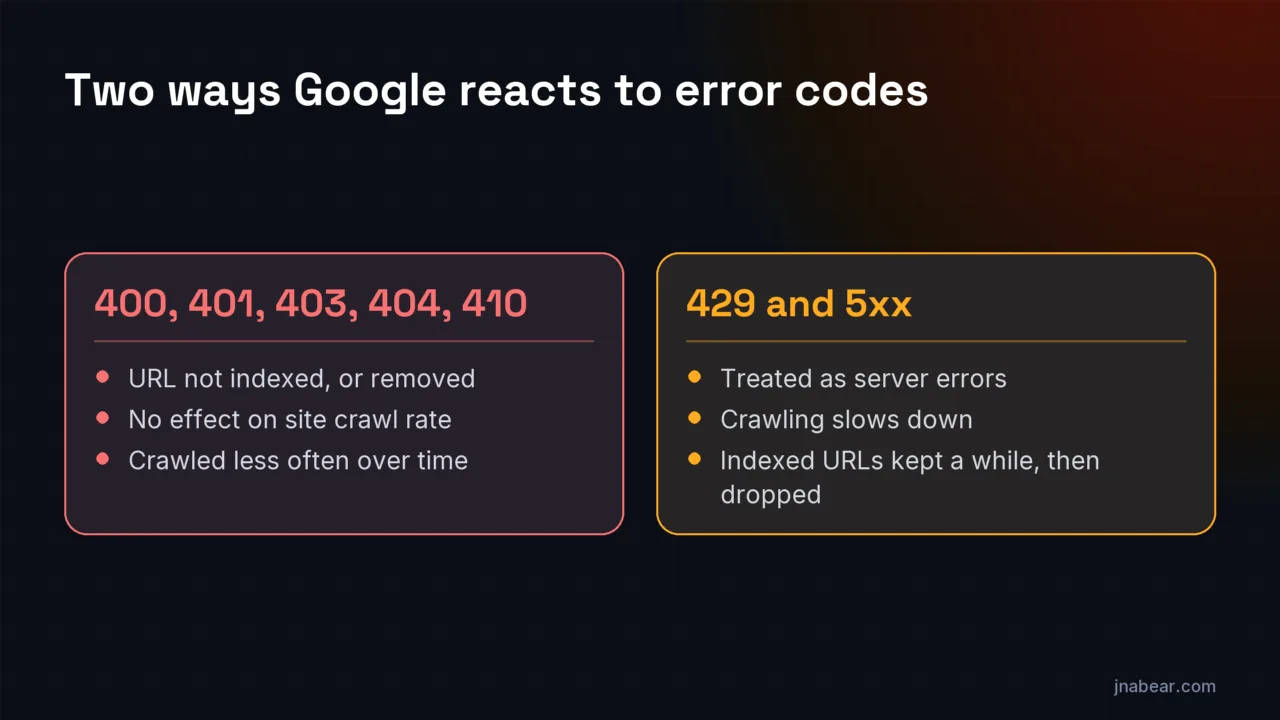
- Google treats every 4xx code except 429 the same way: the URL is not indexed, and indexed URLs are removed.
- A 403 to Googlebot is always a server mistake in Google's view, because "Googlebot never provides credentials."
- Google says not to use 401 or 403 to slow crawling. Use 500, 503 or 429, briefly.
- The Page indexing help never mentions 410 or 429. Google treats 410 like 404, and 429 like a server error (checked Nov 3, 2026).
- In a Nov 3, 2026 test, 15 sites on five platforms plus this site all answered a missing page with a real 404. None returned a soft 404.
On this page (8)
What does "Blocked due to other 4xx issue" mean?
"Blocked due to other 4xx issue" means Googlebot asked for the page and your server answered with a 4xx client error that has no separate label in Search Console. Google's Page indexing help names it "URL blocked due to other 4xx issue" and defines it in one sentence: "The server encountered a 4xx error not covered by any other issue type described here." Google's only advice is to debug the page with the URL Inspection tool.
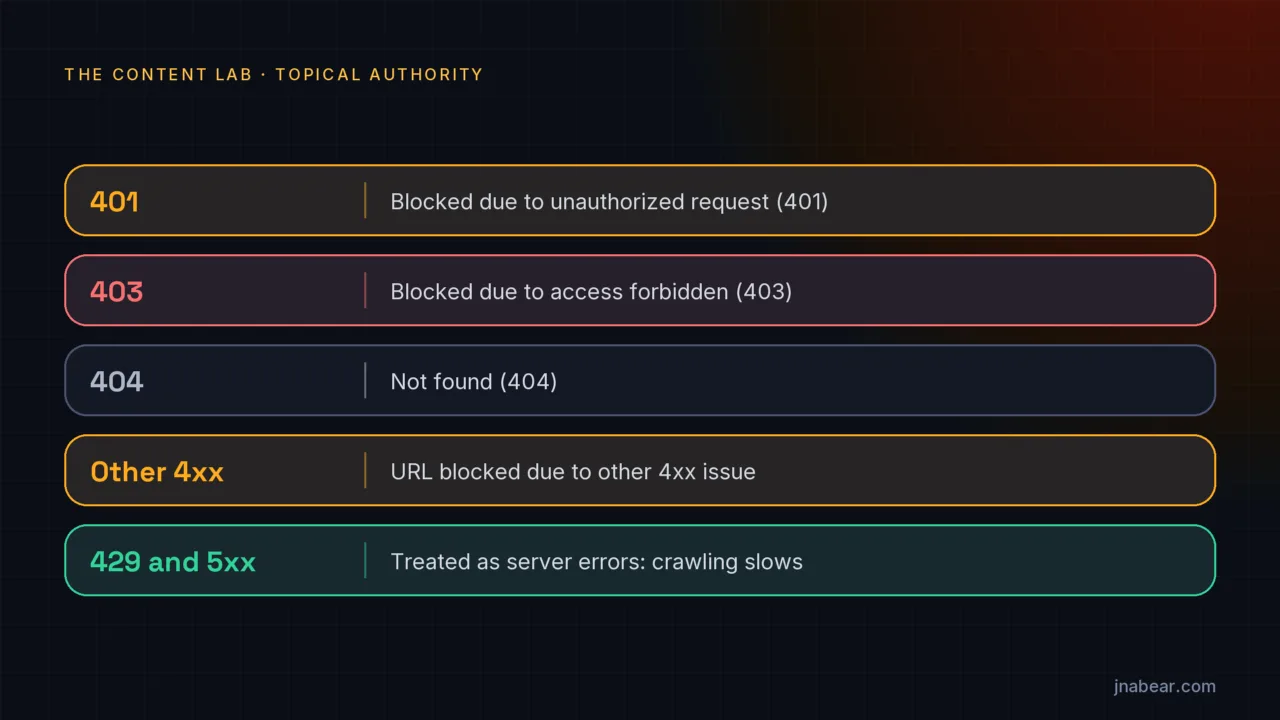
Google does not list which codes fall here. By elimination it is the 4xx codes without their own label, such as 400 Bad Request or 411 Length Required, which Google's HTTP status codes guide groups with the other 4xx codes. 401, 403 and 404 each have their own label. The page is not indexed while the error lasts. Whether that matters depends on the page: a login screen or an old feed URL can stay blocked, but a page you want in search results needs fixing.
| Status code | Label in Google's Page indexing help | What Google does |
|---|---|---|
| 400, 411 and other 4xx without a label | URL blocked due to other 4xx issue | Does not index the URL, and removes it if it was indexed |
| 401 Unauthorized | Blocked due to unauthorized request (401) | Same as other 4xx |
| 403 Forbidden | Blocked due to access forbidden (403) | Same as other 4xx. Google calls a 403 to Googlebot a server mistake |
| 404 Not Found | Not found (404) | Not indexed, and crawled "less and less often" |
| 410 Gone | Not listed in the help page (checked Nov 3, 2026); likely reported with 404s | Treated "the same as 404s," per Google's 404 help |
| 429 Too Many Requests | Not listed in the help page (checked Nov 3, 2026); likely reported as a server error | Treated as a server error: crawling slows down |
| 200 with a "not found" page | Soft 404 | Not indexed, and the URL keeps getting crawled |
| 5xx | Server error (5xx) | Crawling slows; indexed URLs are kept for a while, then dropped |
Two rows are worth knowing. The Page indexing help does not name 410 or 429 anywhere, so you will not find a label for them in its list. Google's other documents fill the gap: its 404 help says "Currently Google treats 410s (Gone) the same as 404s (Not found)," and its HTTP status codes guide says Google's crawlers treat a 429 as a sign the server is overloaded, "and it's considered a server error." Google's help does not say which labels these two codes get, so the table's "likely" entries are my reading.
How does Google treat 4xx status codes?
Google treats every 4xx code except 429 the same way. Its HTTP status codes guide, last updated Feb 4, 2026, says: "Google doesn't index URLs that return a 4xx status code, and URLs that are already indexed and return a 4xx status code are removed from the index." It adds that "the crawling frequency gradually decreases" for that URL, and that "The 4xx status codes, except 429, have no effect on crawl rate."
My reading: a 4xx on one URL does not slow crawling of your other pages. Google's 404 help goes further for 404s: "404s don't harm your site's indexing or ranking." The error only takes that URL out of search until it returns a normal 200 response again. Google also keeps checking: its Page indexing help says Google "continues to crawl all known URLs even after they return 4XX errors for a while, in case it's a temporary error."
What does "Blocked due to access forbidden (403)" mean, and how do you fix it?
"Blocked due to access forbidden (403)" means your server refused Googlebot with a 403 Forbidden response. Google's help is blunt about it: "Googlebot never provides credentials, so your server is returning this error incorrectly. The page will not be indexed." In my experience, a 403 to Googlebot is usually a blocking rule doing its job too well.
Google's fix is to admit non-signed-in users, or to "explicitly allow Googlebot requests without authentication (though you should verify its identity)." The places I would look first:
- A web application firewall or bot-protection setting at your host or CDN that blocks unfamiliar crawlers
- A security plugin that blocks by country, IP range or user agent
- Rules that block requests without cookies, or that rate-limit by IP
- A staging-era password or IP allowlist that was never removed after launch
Then narrow it down. Load the page in a private window. If it works for you, run the URL Inspection tool's live test. If the live test also gets a 403, the block is aimed at crawlers; if it passes, the error was likely fixed after Google's last crawl. One caution: the live test fetches as Google-InspectionTool, not Googlebot, so a firewall rule written for the Googlebot user agent can treat the two differently. Your server or CDN logs show what Googlebot itself received.
What does "Blocked due to unauthorized request (401)" mean?
"Blocked due to unauthorized request (401)" means the page asked Googlebot to log in. Google's help: "The page was blocked to Googlebot by a request for authorization (401 response)." If the page should be public, remove the login requirement; Google also offers the option to "allow Googlebot to access your pages by verifying its identity." Google suggests checking by "visiting the page in incognito mode." If a private window asks you for a password too, that is the cause.
Leave it alone when the page is meant to be private, such as an account area or a client portal. A 401 on those is the correct answer, and the status in Search Console is only reporting it.
Should you use a 403 to block or slow down Googlebot?
No. Google says so directly: "Don't use 401 and 403 status codes for limiting the crawl rate. The 4xx status codes, except 429, have no effect on crawl rate." A 403 drops the page from the index without lowering your site's crawl rate. To keep a page out of search, use a noindex rule. To keep crawlers off a path, use robots.txt.
To slow Googlebot down for a short time, Google's crawl-rate guide says to "return a 500, 503, or 429 HTTP response status code" for "a couple of hours, or 1-2 days," optionally with a Retry-After header on a 503 or 429. It warns against going longer: if Googlebot sees these codes "on the same URL for multiple days, the URL may be dropped from Google's index." If you are checking which crawlers your robots.txt lets in, the AI Crawler Checker reads it the way crawlers do.
What is the difference between a 404 and a soft 404?
A 404 is a page that says "not found" with a 404 status code. A soft 404 says "not found" to the reader but sends a 200 OK status, so the server claims the page exists. Google's help defines a soft 404 as a page that "returns a user-friendly 'not found' message but not a 404 HTTP response code," and recommends "returning a 404 response code for truly 'not found' pages."
Soft 404s cost more than real ones. Google's crawl budget guide says real 404s are "a strong signal not to crawl that URL again," while soft 404s "will continue to be crawled, and waste your budget." Google's 404 help adds that redirecting a missing page to the home page "can be problematic," and calls those soft 404s too. One small finding from checking the docs: the Page indexing help's "Learn how to fix a soft 404" link now redirects to the HTTP status codes guide, which no longer has a soft 404 section (checked Nov 3, 2026).
Do website platforms return real 404s? A test of 16 sites
Yes. On Nov 3, 2026, I requested a page that does not exist on 16 live sites: three each on Shopify, WordPress, Wix, Squarespace and Webflow, plus this site. All 16 answered with a real 404 status. None returned a soft 404, none redirected to the home page, and none blocked the request.
| Platform | Sites | Status for a missing page | Notes |
|---|---|---|---|
| Shopify | 3 | 404 on 3 of 3 | Two redirected the bare domain to www first |
| WordPress | 3 | 404 on 3 of 3 | One added a trailing slash and www first |
| Wix | 3 | 404 on 3 of 3 | All three redirected to www first; all three error pages carried a noindex tag |
| Squarespace | 3 | 404 on 3 of 3 | Two redirected to www first; one served home-page content under the 404 status |
| Webflow | 3 | 404 on 3 of 3 | One redirected to www first; two error pages had a canonical pointing to their /404 page |
| jnabear.com | 1 | 404 | Error page carries a noindex tag |
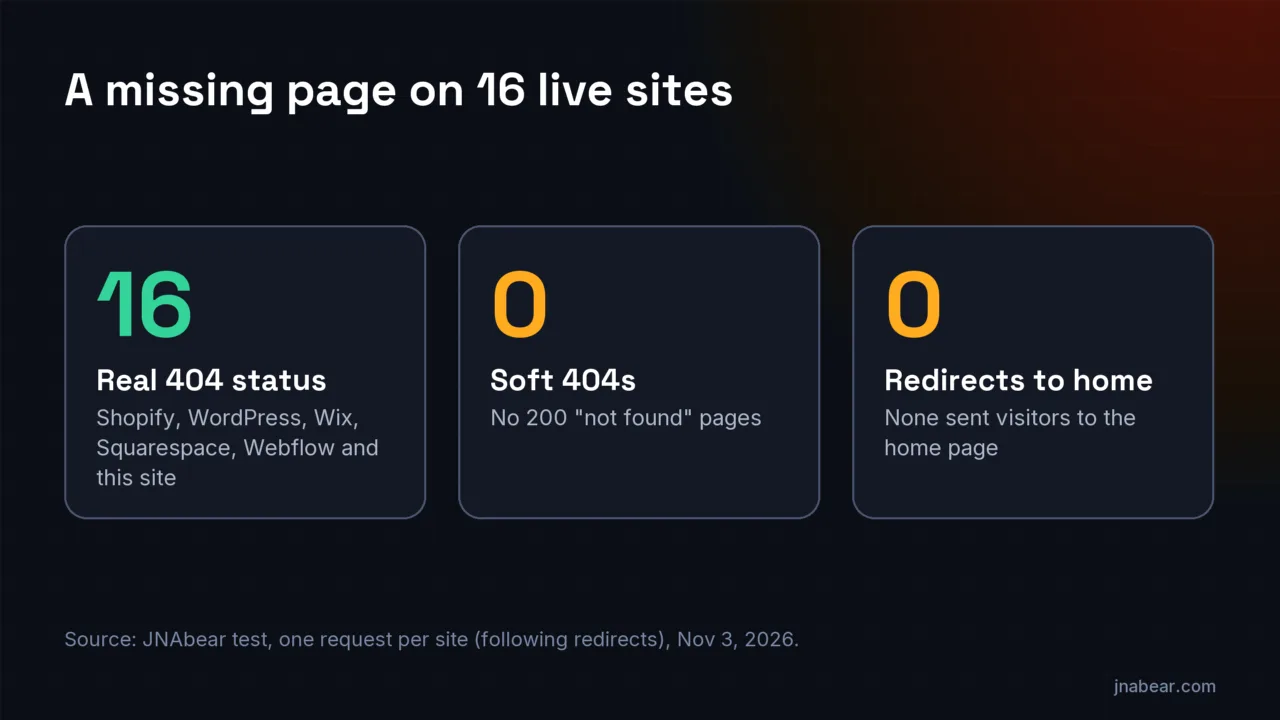
So a soft 404 in your report is unlikely to be your platform's default. Look at custom setups instead: a plugin that redirects missing pages to the home page, a template that shows "no results" with a 200, or a search or filter page with nothing in it. One Squarespace site was an edge case worth knowing: its status said 404, but the page body was the home page with no error message. Google goes by the status, so that is a real 404, but a visitor would never know the page is missing.
How the test was run: one request per site (following redirects) to the same made-up path, with a plain user agent that named this site and did not imitate a browser or Googlebot. Each platform was confirmed from response headers or page markup. Sixteen sites show the defaults, not every theme or app on each platform. I also checked this site's retired WordPress URLs: old tag feeds and posts return 410 Gone with a noindex page, while the old /wp-login.php returns a bare "File not found." 404 from the web server instead of the site's own error page.
How do you fix a 4xx status in Search Console?
Decide first whether the URL should be in Google at all. Many 4xx URLs are fine as they are: old feeds, login pages, removed products. For the ones that should be indexed:
- Open the status in Search Console's Page indexing report and export the example URLs.
- Run the URL Inspection tool's live test on one of them to see the response Google's inspection crawler gets, and check your server logs for Googlebot's own requests.
- For a 403, check your firewall, CDN bot settings and security plugin for rules that catch Googlebot.
- For a 401, remove the login requirement or the leftover staging password.
- For other 4xx codes, check the server or app logs for that URL to see which code it returns and why.
- Fix the response so the page returns 200, then click Validate Fix in Search Console.
- For pages that are gone for good, keep the 404 or 410, and remove internal links that still point to them.
If the errors come from hosting or firewall settings, the fix belongs at the build level. That is part of our web design work, delivered with Stoute Web Solutions, where hosting, redirects and crawler access are set up before launch. If the report is full of old URLs that need sorting into keep, redirect or remove, a content audit does that across the whole site. The free AI Search Visibility Audit starts with indexability and costs nothing.
Disclosure: I sell those services. Most 4xx statuses on a small site need no paid help, only the steps above.
Sources
- Google Search Console Help: Page indexing report (opens in a new tab) (verified Nov 2026)
- Google Crawling Infrastructure: How HTTP status codes affect Google's crawlers (updated Feb 4, 2026) (opens in a new tab) (verified Nov 2026)
- Google Crawling Infrastructure: Reduce the Google crawl rate (updated Oct 6, 2026) (opens in a new tab) (verified Nov 2026)
- Google Crawling Infrastructure: Optimize your crawl budget (updated Jul 22, 2026) (opens in a new tab) (verified Nov 2026)
- Google Search Console Help: 404 errors (opens in a new tab) (verified Nov 2026)
- Google Search Console Help: URL Inspection tool (opens in a new tab) (verified Nov 2026)
Topics & entities in this article
Frequently asked questions
Only for pages you want in Google. Google does not index URLs that return a 4xx code, and its guide says 4xx codes other than 429 "have no effect on crawl rate." Old or private URLs can stay as they are.
Google does not list them. By elimination, it is 4xx codes without their own label, such as 400 or 411; 401, 403 and 404 each have a separate label. Google treats 410 like 404 and 429 as a server error, so expect those under Not found (404) and Server error (5xx), though its help does not say so (checked Nov 3, 2026).
Often a firewall, CDN bot setting or security plugin is blocking crawlers or unfamiliar visitors. Google says "Googlebot never provides credentials, so your server is returning this error incorrectly." The URL Inspection live test shows what Google's inspection crawler receives, and your server logs show Googlebot's own requests.
Not for Google today. Its 404 help says "Currently Google treats 410s (Gone) the same as 404s (Not found)." Either is fine for a page removed on purpose.
Not a 403: Google says not to use 401 or 403 "for limiting the crawl rate." For a short slowdown of a couple of hours or one to two days, Google says to return a 500, 503 or 429.
Google keeps crawling 4xx URLs "for a while, in case it's a temporary error," so a fixed page can return after its next crawl. Use the URL Inspection tool's Request indexing to ask for a recrawl of important pages.
Related service
Content Audits
A content audit inventories every page on your site and grades what to keep, improve, merge, or remove. The deliverable is a ranked action list your team can execute immediately.
Disclosure: this is a service I sell.