Free Content Audit Template (CSV) and How to Use It
Quick answer
A content audit template is a spreadsheet with one row per page and columns for its purpose, its search performance, its accuracy, and a decision: keep, improve, merge, or remove. The free template below works in any spreadsheet app, and the rules that follow turn the filled-in sheet into a ranked list of fixes.
Key takeaways
- One row per indexable page, and one decision per row: keep, improve, merge, or remove.
- Search Console's Performance report can show the last 16 months of clicks, impressions, and position for every page.
- Judge each page on its job, not only its traffic: a low-traffic page that converts is worth keeping.
- Merged or removed pages that have links or traffic need a 301 redirect to the page that replaces them.
- Prioritize by value and effort, and fix what is already indexed before publishing more.
On this page (6)
What is a content audit template?
A content audit template is a spreadsheet laid out so every page on a site gets the same questions and the same kind of decision. Each row is one page. The columns record what the page is for, how it performs, whether it is still accurate, and what to do with it. Filled in, it becomes the ranked list of fixes a content audit exists to produce.
Content audit template (CSV)
Opens in Google Sheets, Excel, or Numbers. Includes one example row to delete before use.
What is in the template?
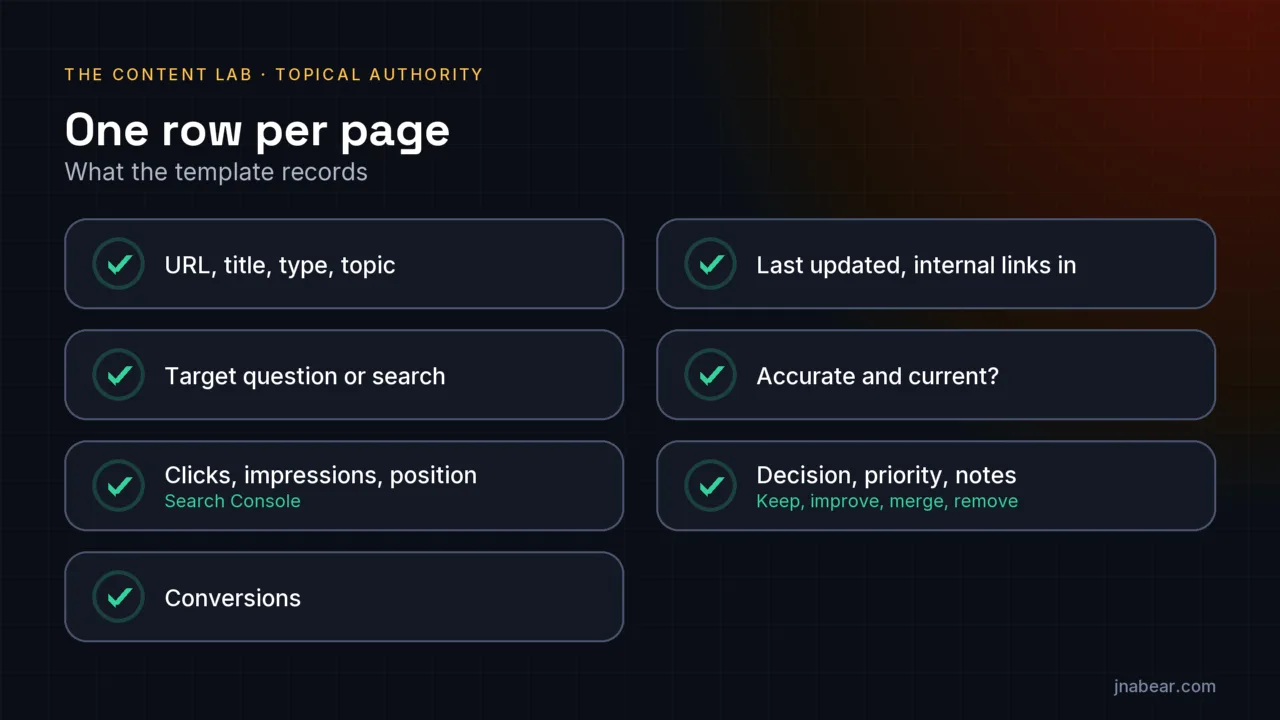
The template has sixteen columns. The table below groups them and says what each group records and where the data comes from.
| Columns | What they record | Where the data comes from |
|---|---|---|
| URL, Page title, Page type, Primary topic | What the page is and what it is about | Your sitemap or a site crawl, then your own judgment |
| Target question or search | The one search the page should win | Your own judgment, checked against Search Console queries |
| Clicks, Impressions, Average position | How the page performs in Google Search | Search Console Performance report, filtered by page |
| Conversions | Whether the page produces enquiries or sales | Your analytics goals or form data |
| Last updated, Internal links in | How fresh it is and how well the site supports it | Your CMS and a site crawl |
| Accurate and current?, Overlaps with | Whether it is still true, and whether another page competes with it | Reading the page |
| Decision, Priority, Notes | What to do, how soon, and why | The rules below |
How do you fill it in?
Filling in the template is mostly export and paste, followed by the part only a person can do: reading each page.
- List every indexable page. Your XML sitemap is the fastest start; a site crawl catches pages the sitemap misses.
- Export performance from Search Console. In the Performance report, choose the date filter, select "Last 16 months", open the Pages tab, and export. Paste clicks, impressions, and position against each URL.
- Add conversions from your analytics, if you track them, so a quiet page that brings in customers is not mistaken for dead weight.
- Record when each page was last updated and how many internal links point to it.
- Read every page. Mark whether it is accurate and current, and note any other page that answers the same question.
How do you decide keep, improve, merge, or remove?
Every page gets exactly one of four decisions, based on whether it has a clear job and does that job well.
| Decision | When it applies | What you do |
|---|---|---|
| Keep | Clear job, accurate, performing or converting | Protect it; check it again next audit |
| Improve | Clear job, but outdated, thin, or underperforming for its topic | Rewrite, update facts, add what readers need, strengthen internal links |
| Merge | Two or more pages answer the same question | Combine the best of each into one page and 301 redirect the others to it |
| Remove | No job, no audience, and nothing worth merging | Delete it; 301 redirect it if it has links or traffic, otherwise return 410 |
The overlap column drives most merges. Two pages competing for the same search split whatever attention the topic gets, and usually neither does well. This site found two of its own articles asking nearly the same question in September 2026 and rewrote one to answer a different, more specific question instead of merging them.
How do you prioritize the fixes?
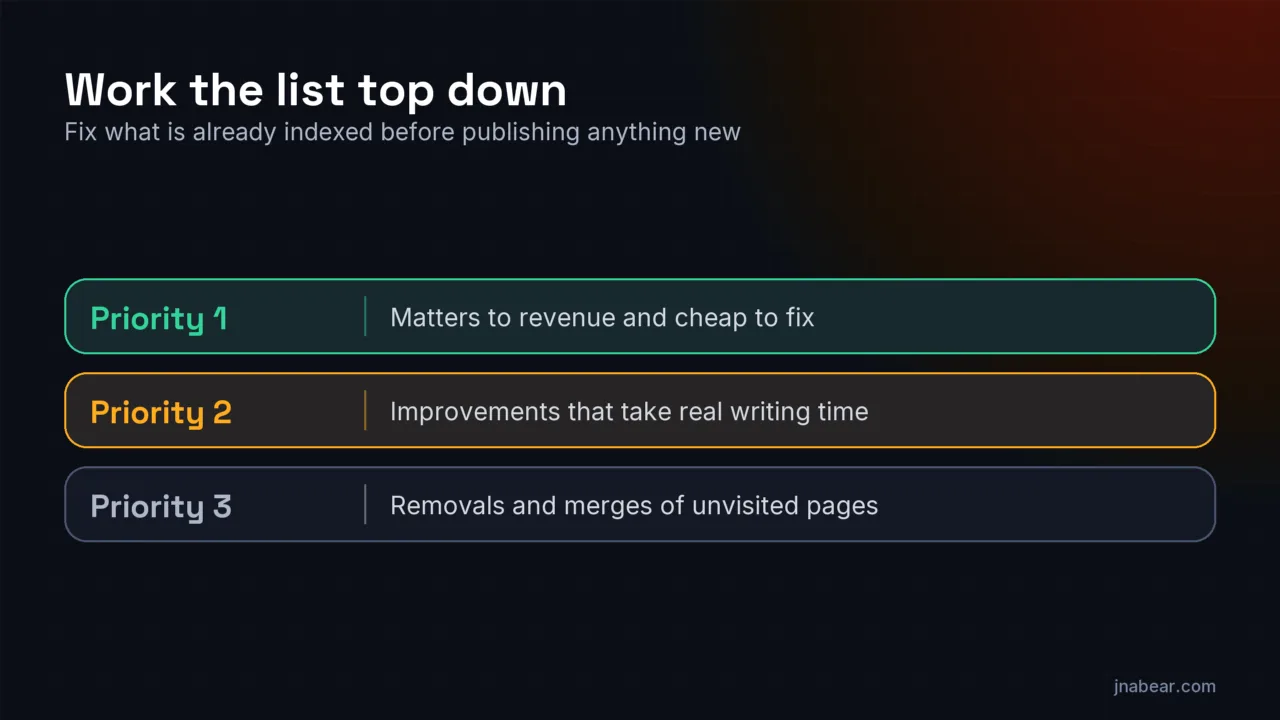
Priority 1 goes to pages that matter to revenue and are cheap to fix: an outdated service page, an inaccurate price, a strong page with no internal links. Priority 2 goes to improvements that take real writing time. Priority 3 goes to removals and merges of pages nobody visits, which tidy the site but move little. Work the list top down, and fix what is already indexed before publishing anything new.
What mistakes should you avoid?
- Deleting a page with backlinks or traffic without a 301 redirect, which throws away whatever it had earned.
- Judging by traffic alone. Some of the most valuable pages, like a pricing page, get modest traffic and convert well.
- Merging without redirecting the old URLs, which leaves broken links and orphaned signals behind.
- Treating the audit as a one-off. A short re-check every six to twelve months keeps the list short.
If you would rather have the audit done for you, the content audits service applies exactly this template, with the reading and rewriting included. Disclosure: that is a service I sell, so weigh the source.
Sources
Topics & entities in this article
Frequently asked questions
One row per page, with columns for the page's purpose, its search performance, conversions, freshness, internal links, accuracy, overlaps with other pages, and a single decision: keep, improve, merge, or remove.
Use as much as Search Console offers. Its Performance report can show the last 16 months, which smooths out seasonal swings.
Not automatically. Check whether the page converts, has backlinks, or answers a question your other pages do not. If you do remove it, redirect it when it has links or traffic.
Merging combines two pages that answer the same question into one and redirects the others. Removing deletes a page that has no job worth keeping.
A full audit when you start, then a lighter re-check every six to twelve months. Pages you publish in the meantime should already have a job, so the list stays short.
Related service
Content Audits
A content audit inventories every page on your site and grades what to keep, improve, merge, or remove. The deliverable is a ranked action list your team can execute immediately.
Disclosure: this is a service I sell.